Aim
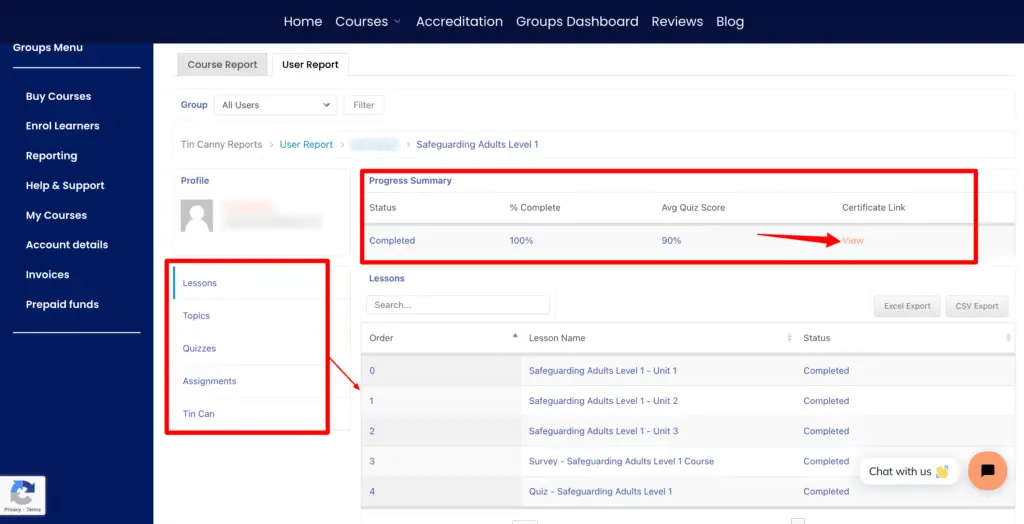
- To see the details and progress of a learner in your group
Log in and access the group dashboard.
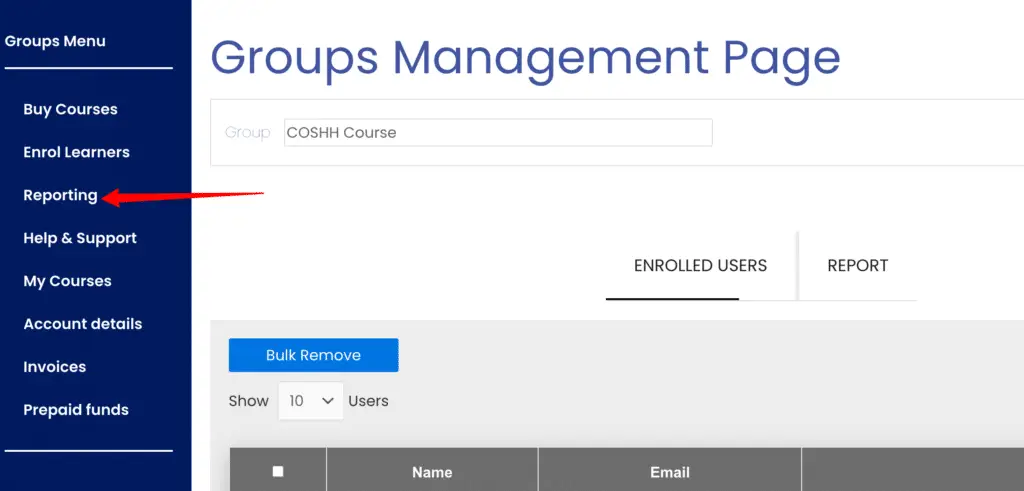
Select the “Reporting” page
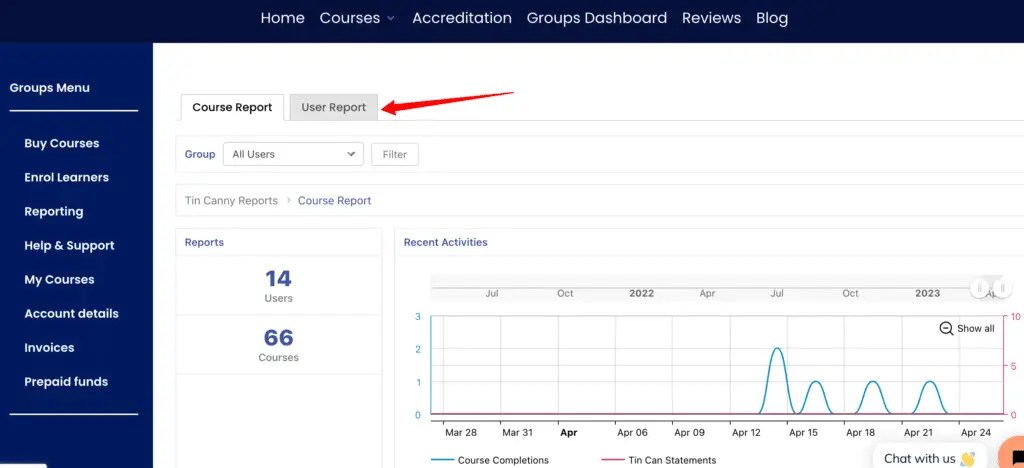
Select the User Report Tab
Search the name of the user/learner. Click see details.
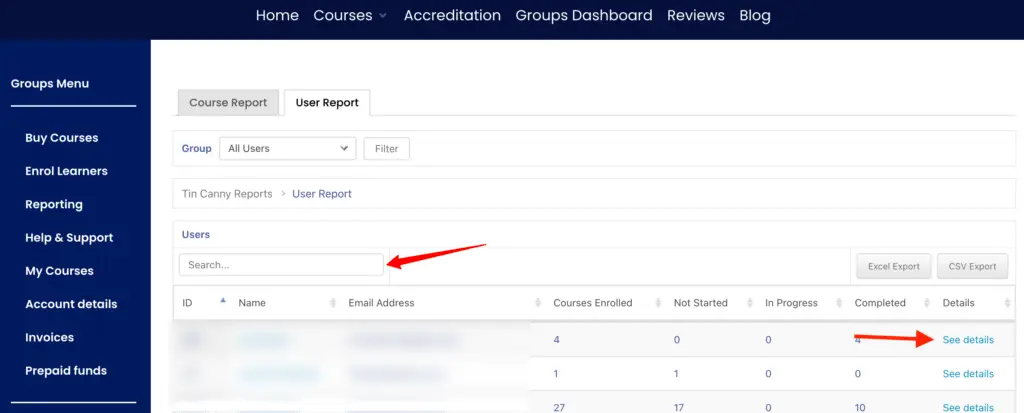
Reporting information includes courses enrolled, not started, in progress, and completed. Click “See Details” to see more details.
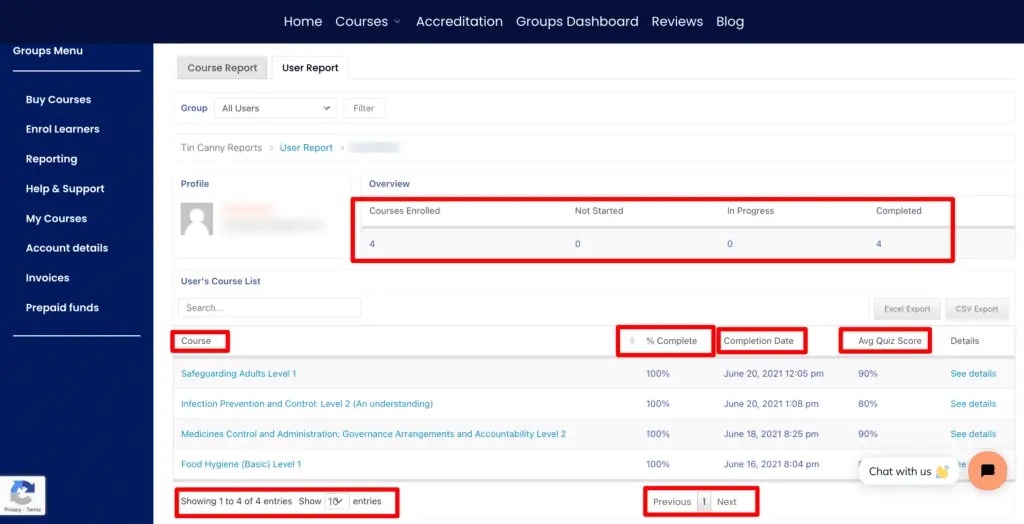
The learner’s detailed progress in a specific course can be viewed once “See Details” is clicked.